Monte Carlo estimation of π#

This tutorial shows you how to estimate the value of π using a Monte Carlo method that works by randomly sampling points within a 2x2 square. The proportion of the points that fall within the unit circle centered at the origin estimates the ratio of the area of the circle to the area of the square. Because the true ratio is π/4, multiplying the estimated ratio by 4 approximates the value of π. The more points you sample, the closer the approximation should be to the true value of π.
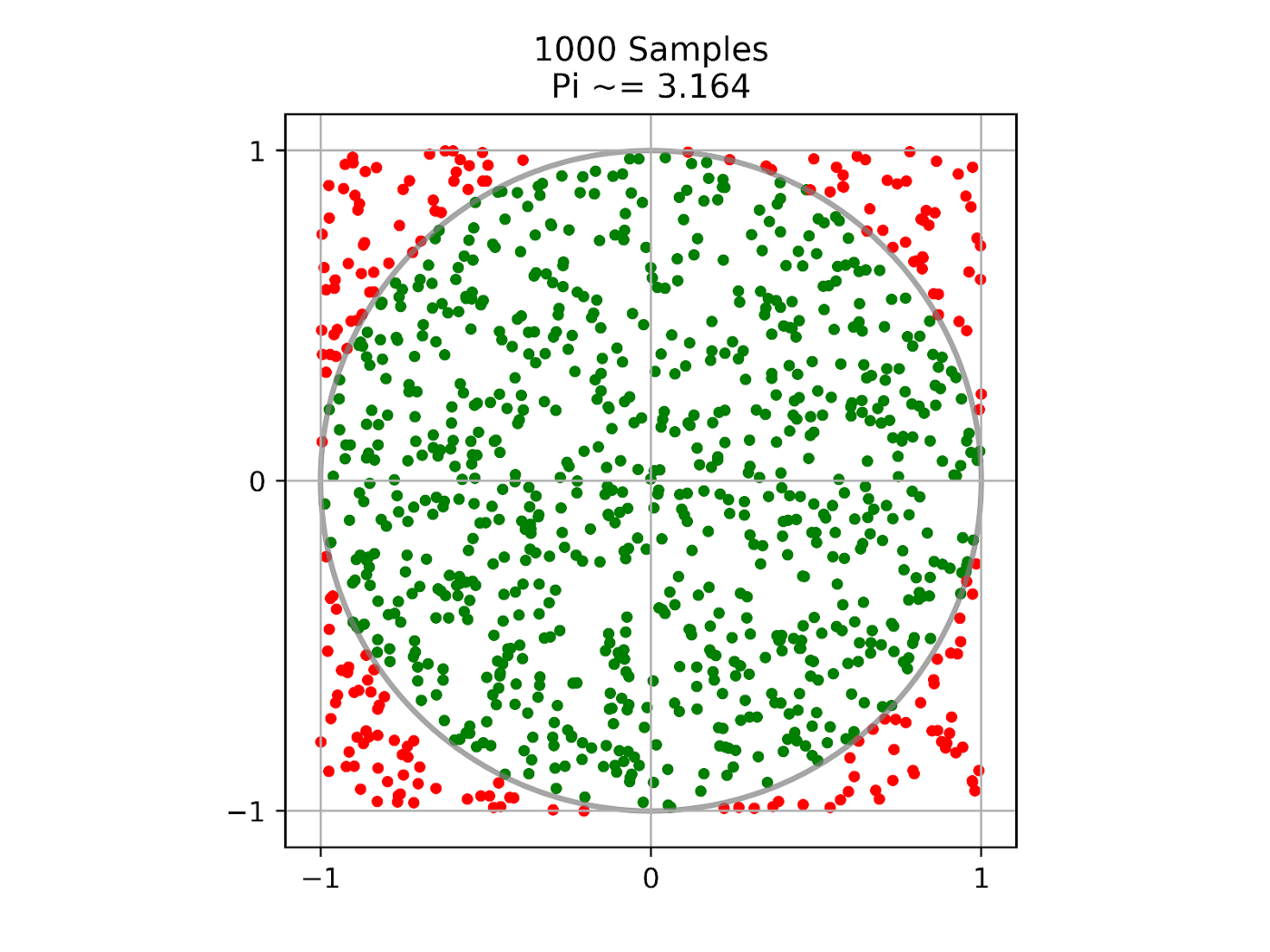
This tutorial uses Ray tasks to distribute the work of sampling and Ray actors to track the progress of these distributed sampling tasks. The code can run on your laptop, and you can scale it to large clusters to increase the accuracy of the estimate.
To get started, install Ray with pip install -U ray. See Installing Ray for more installation options.
Starting Ray#
First, import the modules this tutorial needs and start a local Ray cluster with ray.init():
import ray
import math
import time
import random

ray.init()
Defining the progress actor#
Next, define a Ray actor that sampling tasks can call to update progress. A Ray actor is essentially a stateful service. Anyone with a handle to the actor can call its methods.
@ray.remote
class ProgressActor:
    def __init__(self, total_num_samples: int):
        self.total_num_samples = total_num_samples
        self.num_samples_completed_per_task = {}

    def report_progress(self, task_id: int, num_samples_completed: int) -> None:
        self.num_samples_completed_per_task[task_id] = num_samples_completed

    def get_progress(self) -> float:
        return (
            sum(self.num_samples_completed_per_task.values()) / self.total_num_samples
        )
To define a Ray actor, decorate a normal Python class with ray.remote. The progress actor has a report_progress() method, which each sampling task calls to update its own progress, and a get_progress() method, which gets the overall progress.
Defining the sampling task#
After you define the actor, define a Ray task that takes num_samples samples and returns the number of samples inside the circle. Ray tasks are stateless functions. They execute asynchronously and run in parallel.
@ray.remote
def sampling_task(num_samples: int, task_id: int,
                  progress_actor: ray.actor.ActorHandle) -> int:
    num_inside = 0
    for i in range(num_samples):
        x, y = random.uniform(-1, 1), random.uniform(-1, 1)
        if math.hypot(x, y) <= 1:
            num_inside += 1

        # Report progress every 1 million samples.
        if (i + 1) % 1_000_000 == 0:
            # This is async.
            progress_actor.report_progress.remote(task_id, i + 1)

    # Report the final progress.
    progress_actor.report_progress.remote(task_id, num_samples)
    return num_inside
To convert a normal Python function into a Ray task, decorate the function with ray.remote. The sampling task takes a progress actor handle as input and reports progress to it. The preceding code shows an example of calling actor methods from tasks.
Creating a progress actor#
After you define the actor, create an instance of it.
# Change this to match your cluster scale.
NUM_SAMPLING_TASKS = 10
NUM_SAMPLES_PER_TASK = 10_000_000
TOTAL_NUM_SAMPLES = NUM_SAMPLING_TASKS * NUM_SAMPLES_PER_TASK

# Create the progress actor.
progress_actor = ProgressActor.remote(TOTAL_NUM_SAMPLES)
To create an instance of the progress actor, call the ActorClass.remote() method with arguments to the constructor. This call creates and runs the actor on a remote worker process. The return value of ActorClass.remote(...) is an actor handle that you use to call the actor’s methods.
Executing sampling tasks#
After you define the task, execute it asynchronously.
# Create and execute all sampling tasks in parallel.
results = [
    sampling_task.remote(NUM_SAMPLES_PER_TASK, i, progress_actor)
    for i in range(NUM_SAMPLING_TASKS)
]
To execute the sampling task, call its remote() method with arguments to the function. This call immediately returns an ObjectRef as a future and then executes the function asynchronously on a remote worker process.
Calling the progress actor#
While the sampling tasks run, query the progress periodically by calling the actor’s get_progress() method.
# Query progress periodically.
while True:
    progress = ray.get(progress_actor.get_progress.remote())
    print(f"Progress: {int(progress * 100)}%")

    if progress == 1:
        break

    time.sleep(1)
To call an actor method, use actor_handle.method.remote(). This invocation immediately returns an ObjectRef as a future and then executes the method asynchronously on the remote actor process. To fetch the returned value of an ObjectRef, call the blocking ray.get().
Calculating π#
Finally, get the number of samples inside the circle from the remote sampling tasks and calculate π.
# Get all the sampling tasks results.
total_num_inside = sum(ray.get(results))
pi = (total_num_inside * 4) / TOTAL_NUM_SAMPLES
print(f"Estimated value of π is: {pi}")
As the preceding code shows, ray.get() can also take a list of ObjectRef objects instead of a single ObjectRef, and return a list of results.
If you run this tutorial, you see output similar to the following:
Progress: 0%
Progress: 15%
Progress: 28%
Progress: 40%
Progress: 50%
Progress: 60%
Progress: 70%
Progress: 80%
Progress: 90%
Progress: 100%
Estimated value of π is: 3.1412202